
逐步指南:以太坊薄雾钱包入门(英文原版)
匿名 · 更新于 2018/5/21
Step-by-Step Guide: Getting Started with Ethereum Mist Wallet
According to Coin Market Cap, Ethereum has the second largest market cap amongst Crypto-Currencies, after Bitcoin. Bitcoin and crypto lovers all around have seen Ethereum as an interesting platform that promises scalability, reliability and growth potential.If you still haven’t started using (or at least experimenting with) Ethereum, it’s high time you should try your hands on it. The speed with which Ethereum is evolving and grabbing the market share is astonishing.
‘That’s great. But hey, where do I start?’
If that’s what you’re thinking, you’ve landed in the right place. In this guide, we’ll cover everything to help you get started with Ethereum.
What is Ethereum?
Ethereum is a decentralized platform that runs smart contracts: applications that run exactly as programmed without any possibility of downtime, censorship, fraud or third party interference.
To operate the distributed application platform Ethereum, you need a fuel: Ether. It is a form of payment made by the clients of the platform to the machines executing the requested operations. To put it another way, ether is the incentive ensuring that developers write quality applications (wasteful code costs more), and that the network remains healthy (people are compensated for their contributed resources).
That’s pretty much what you need to know at this stage to get started. If you’re still intrigued and want to learn more, go here and here.
A.Downloading the Ethereum Mist Wallet
To store, accept and send ether, you need a wallet. Download the latest release of mist wallet. Scroll down to Downloads and choose the release as per the system you’re using.
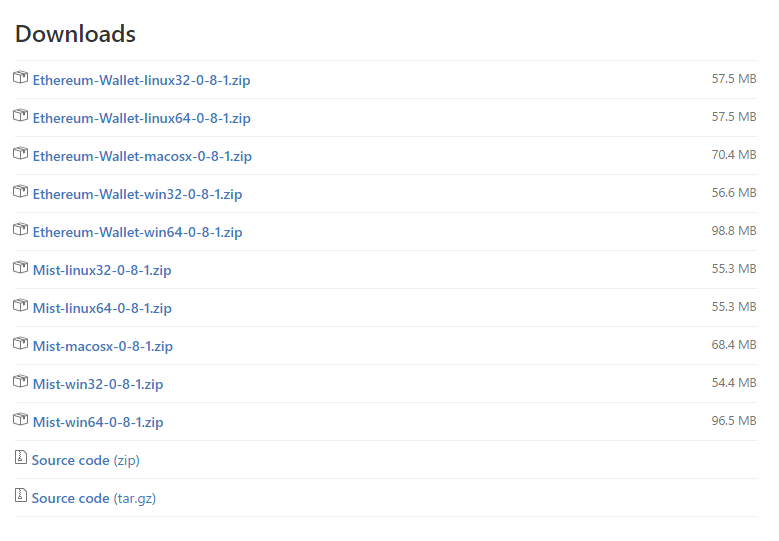
2. Once you click on the link, it’ll automatically start to download the zip file. After you unzip the folder, look for Ethereum-Wallet application and launch it.
B. Installing the Wallet
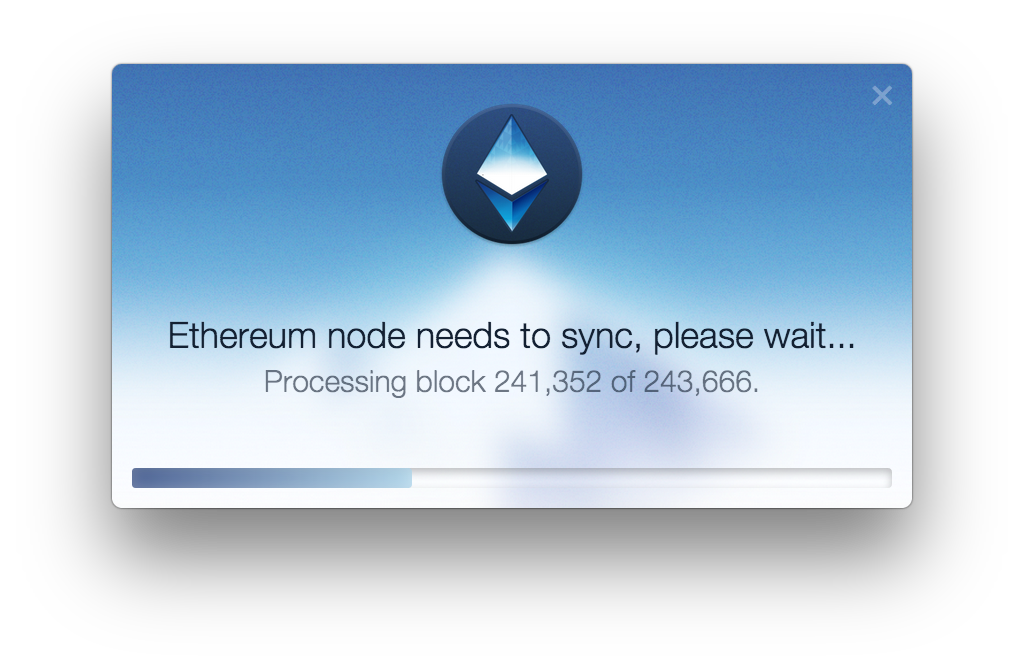
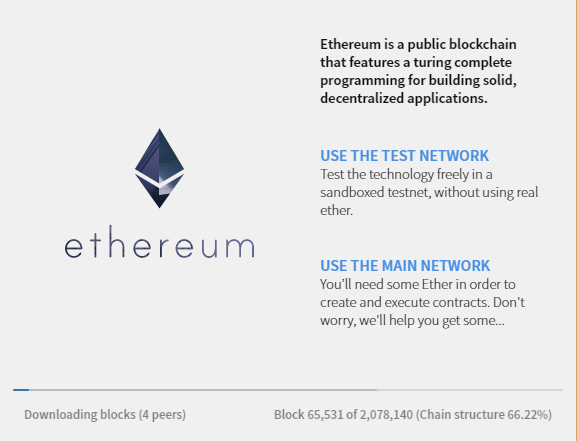
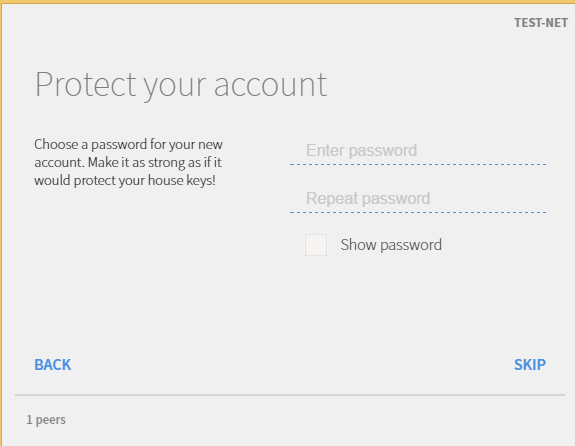
After you launch, you’ll see this:
C. Your Account
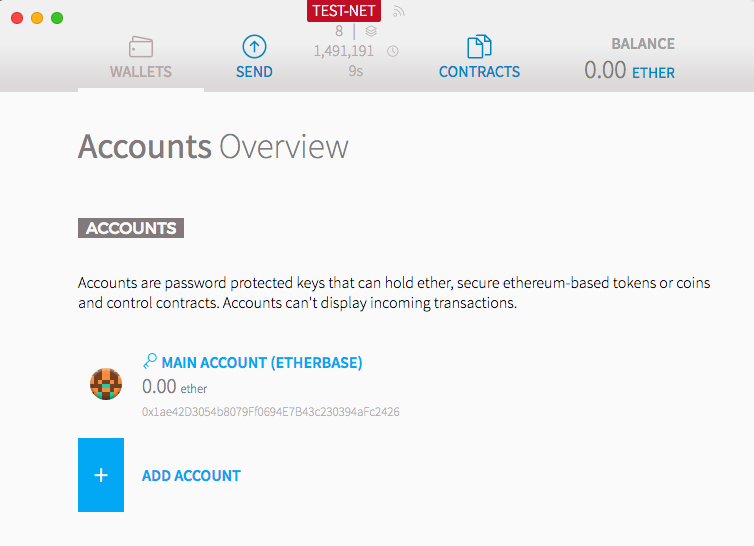
At the top of your Wallet overview screen, you’ll see the info related to the sync status of your node. If the node has stopped syncing (e.g. zero peers or block number not changing), try restarting the Wallet app or wait for some time.
Under Accounts, you can see the number of accounts and Ether balance in every account.
Your Account Address
Go inside the ‘MAIN ACCOUNT’. The string below your account name is your account address. It starts with 0x.
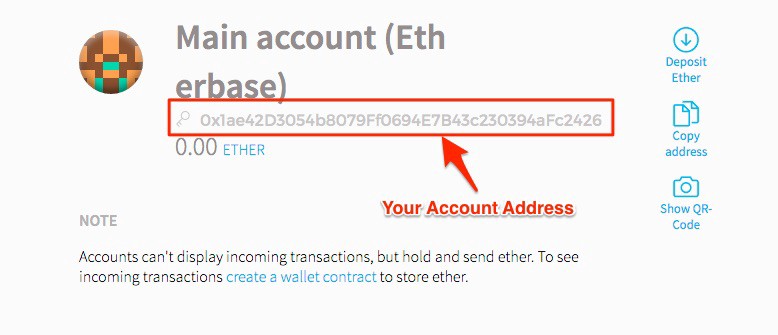
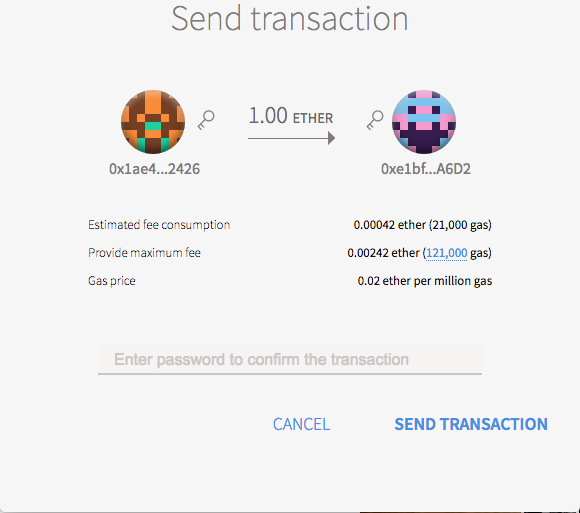
0x1ae42D3054b8079Ff0694E7B43c230394aFc2426
This is my testnet account address, if you want to send some ether. ;)
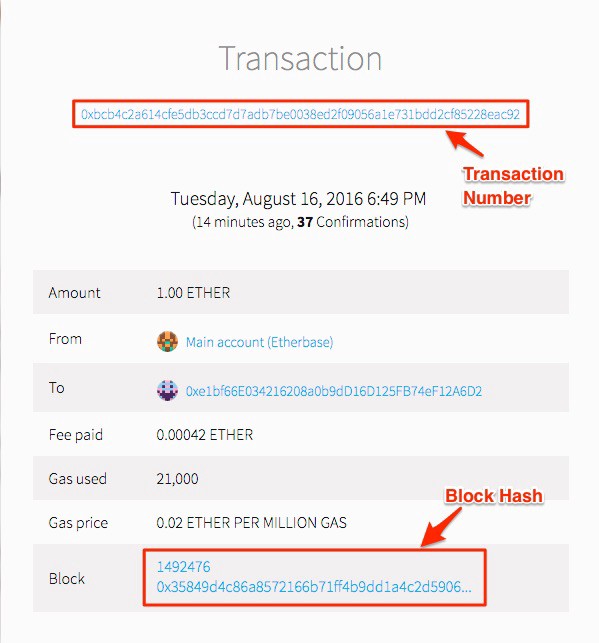
To receive the ether from other party, simply share the address. You can see the status of transaction at http://testnet.etherscan.io/. Simply put your account number or the transaction number sent by other party in search bar.
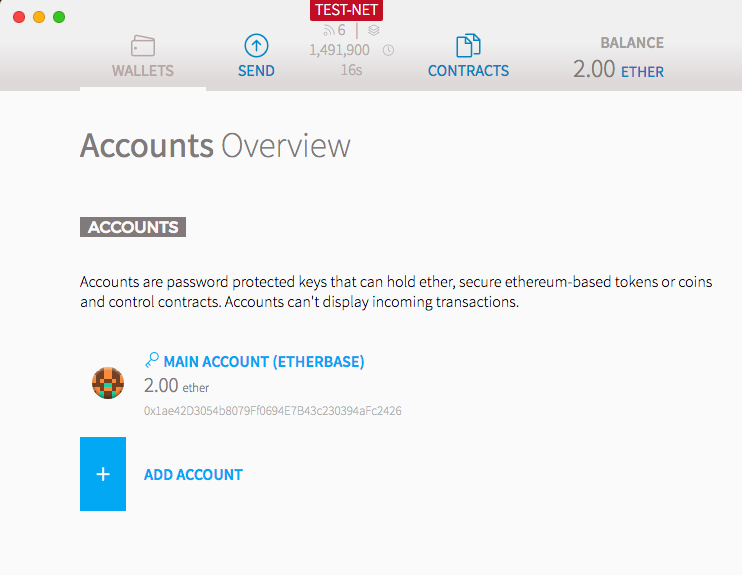
Note: If you can’t find anyone to send you ether, go here and share your address. :) With this Ethereum Faucet, you can receive free ether simply by adding your wallet address and start claiming. Here are 2 ether I received from them:
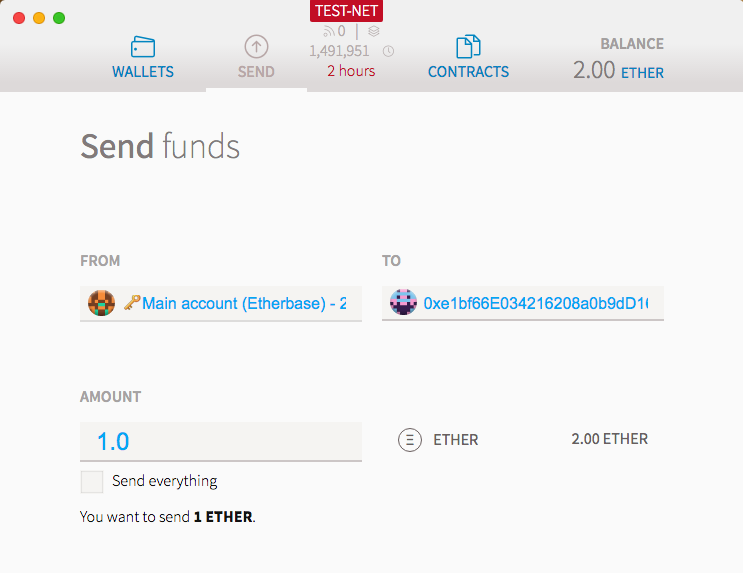
1. Go to SEND.
2. Put in the address of the receiving party.
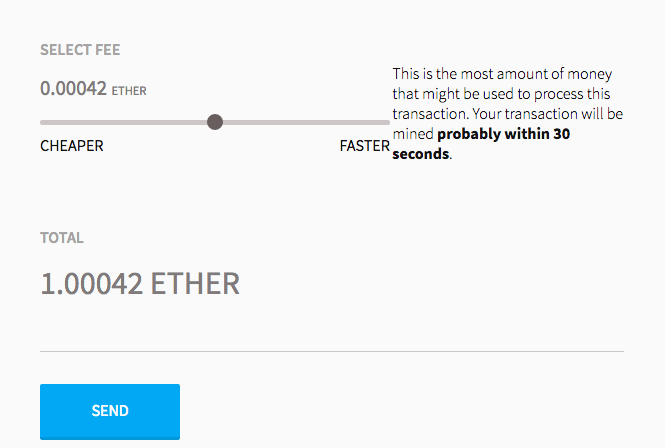
3. Choose the amount of ether you want to send.
Your Transactions
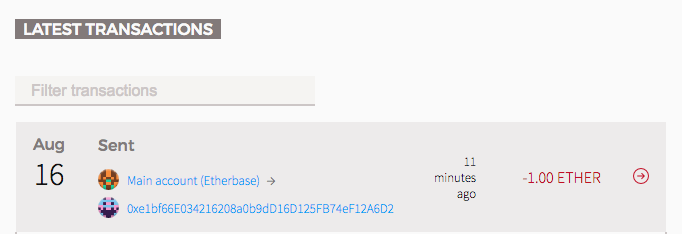
To see all of your transactions, go to Wallet overview → Latest Transactions
That’s it! Need any help? Put it in the comments below and we’ll be happy to help.
Go mine some! :D
P.S. Check out Indorse by Attores — LinkedIn Disruptor on Ethereum [Decentralised Professional Network powered by Ethereum Blockchain]
Important: All announcements — Bounty, Pre Token Sale, Token Sale, will be first made exclusively on Indorse Slack: Join Indorse Community on Slack
·